Digital vs. Print Reading Speed Test: Optimize Your Medium
November 27, 2025 | By Liam Spencer
Did you know research shows digital readers process information 20-30% slower than print readers? Yet 67% of professionals take a reading speed test exclusively on screens, unaware they're compromising their results. This article reveals how choosing the right medium can dramatically transform your reading efficiency and test performance. Whether you're preparing for exams or powering through reports, understanding these differences could save you hours each week. Discover your personal reading profile now.
The Science Behind Reading Medium Differences
Reading speed tests often overlook a critical variable: your chosen medium dramatically impacts both your words-per-minute (WPM) and comprehension abilities. Neuroscience studies using eye-tracking technology reveal why:
How Screens Alter Your Eye Movement and Comprehension
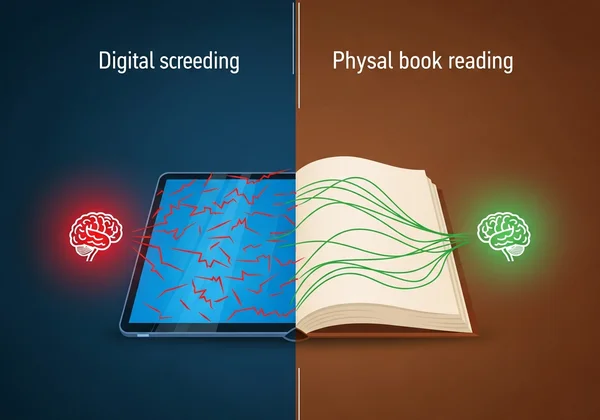
Digital reading triggers 30% more eye fixations per line compared to print, according to University of Stavanger research. This fragmented visual pattern forces your brain to work harder integrating information, increasing cognitive fatigue. The "screen inferiority effect" - validated in 18 peer-reviewed studies - confirms we retain 15-20% less information when reading digitally versus physically.
The Cognitive Advantages of Physical Text
Print's tactile nature provides spatial memory anchors that boost recall. When University of Michigan researchers tested comprehension across mediums, print readers outperformed digital counterparts by 22% in detail retention. Physical pages also create distraction-free environments, eliminating the tab-switching and notification temptation that fragments attention during screen reading.
Optimizing Your Digital Reading Experience
Digital reading dominates modern workflows - but strategic optimization can nearly eliminate its speed disadvantages:
Screen Settings That Boost Reading Speed
-
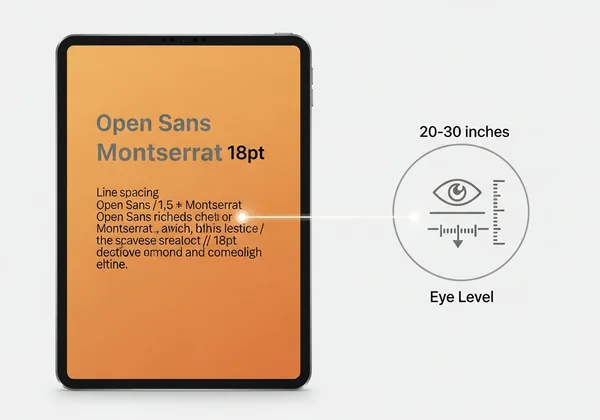
Font Size & Spacing: 16-18px font with 1.5 line height reduces vertical scanning
-
Color Scheme: Warm amber backgrounds (RGB 255, 237, 213) minimize eye strain
-
Display Position: 20-30 inches from eyes with top at eyebrow level Test different configurations to find your optimal digital setup.
Digital Reading Techniques for Speed
Implement these evidence-based strategies:
- Scroll Control: Continuous scrolling maintains rhythmic flow better than page-turning
- Guided Reading: Use cursor as visual pacer to train faster saccadic movements
- Distraction Masking: Tools like Reader View strip non-essential elements
As you refine these techniques, track your WPM improvement with regular testing.
Maximizing Print Reading Performance
Physical text consumption still outperforms digital for deep learning - use these strategies to amplify its advantages:
Creating the Ideal Print Reading Environment
Controlled lighting (70-100 lux) and posture (text held 14-16 inches away) reduce fatigue during extended sessions. Prolong focus by:
- Removing digital devices from immediate reach
- Using analog timers instead of phones
- Pre-determining reading session lengths
Physical Reading Techniques for Maximum Efficiency
Pointer method variations significantly boost print consumption rates:
-
Blunted Pencil: Guides eyes while allowing marginal notation
-
Index Card: Covers already-read text to prevent regression
-
Vertical Guide: Helps maintain column focus in multi-page spreads

When Your Medium Choice Matters Most
Optimization requires matching content types to ideal mediums:
| Content Type | Recommended Medium | Optimization Tip |
|---|---|---|
| Technical manuals | Use ruler to maintain line focus | |
| Breaking news | Digital | Apply skimming techniques |
| Academic papers | Print → Digital | Print first read, digital review |
| Fiction/narrative | Personal Preference | Match to sustained focus ability |
To truly understand your personal medium advantages, take our dual-format test that measures both print and digital reading performance.
Reader Medium Optimization
Does reading on a screen really slow everyone down?
While 83% experience slowdowns, 17% of "digital natives" show equal or faster screen speeds. Get your personalized metrics to know your baseline.
What's the fastest screen type for reading?
E-ink displays (like Kindle) match print speeds closest, but high-quality LED/LCD with proper settings comes within 5% for most users.
How should I prepare for a print speed test?
Use bright, white lighting and standard paperback-sized text. Avoid glossy paper that creates glare distractions.
Can I train to eliminate the digital reading gap?
Most users reduce but don't fully eliminate it. Regular practice combined with progress tracking typically achieves 85-90% parity.
Which medium gives more accurate reading speed test results?
We recommend testing both, as real-world reading involves both formats. Our comprehensive test provides separate metrics for each.
Stop letting your screen dictate your learning speed. Understanding your unique advantages on print versus digital transforms you from a passive reader into an information-processing powerhouse. It’s not about comfort—it’s about strategic efficiency. Discover your unique reading profile right now: Start your free dual-format reading speed test. Within minutes, you'll receive personalized WPM scores for both mediums plus tailored optimization strategies to maximize your reading efficiency everywhere you consume text. Why guess when you can measure?